

Editing Invoices
If a customer pays using your payment link, they'll enter a final figure, and depending on if you're vat/tax registered this could be an all inclusive amount
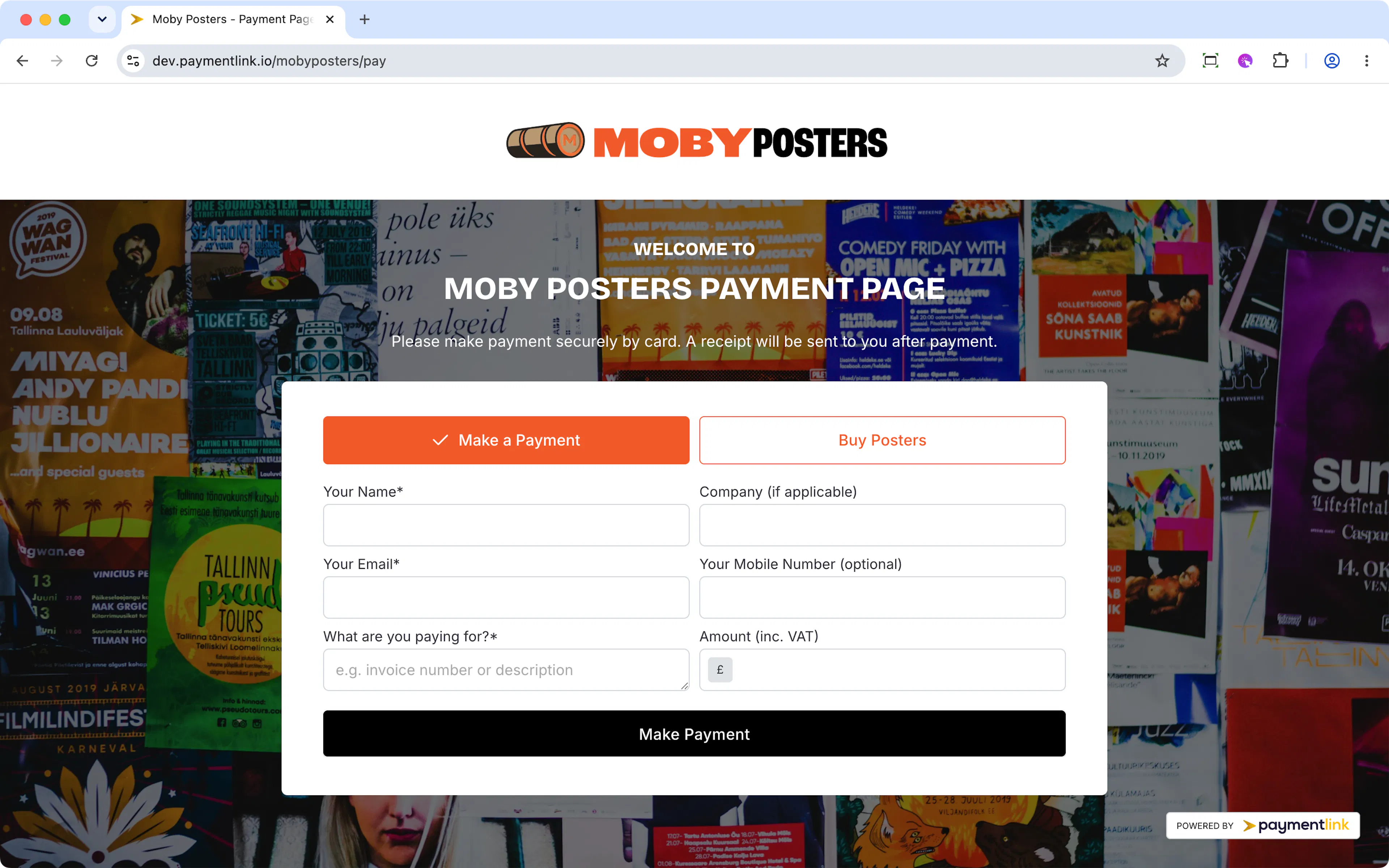
Once payment is made in your dashboard you'll see it like this as one total amount without any vat/tax breakdown.
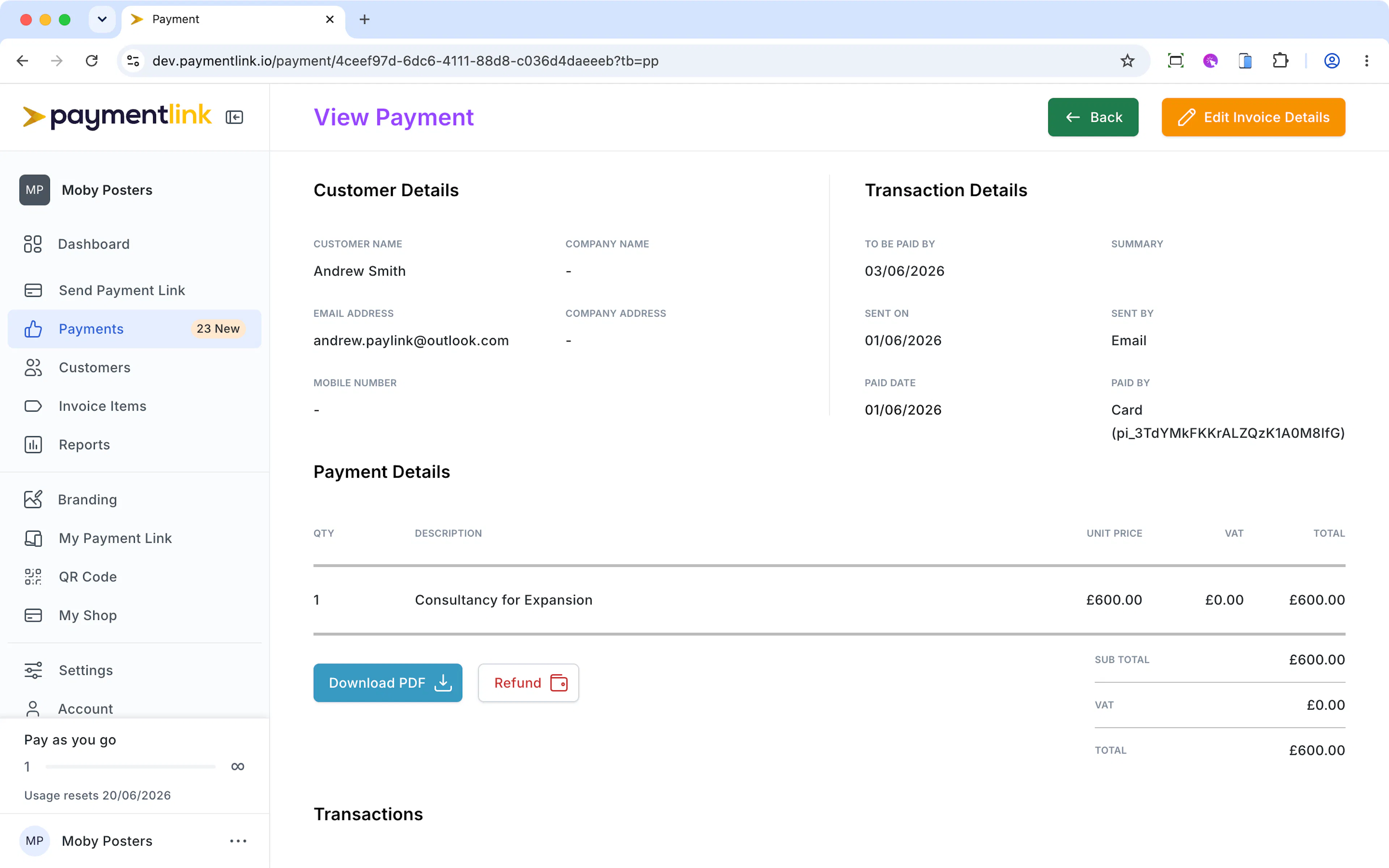
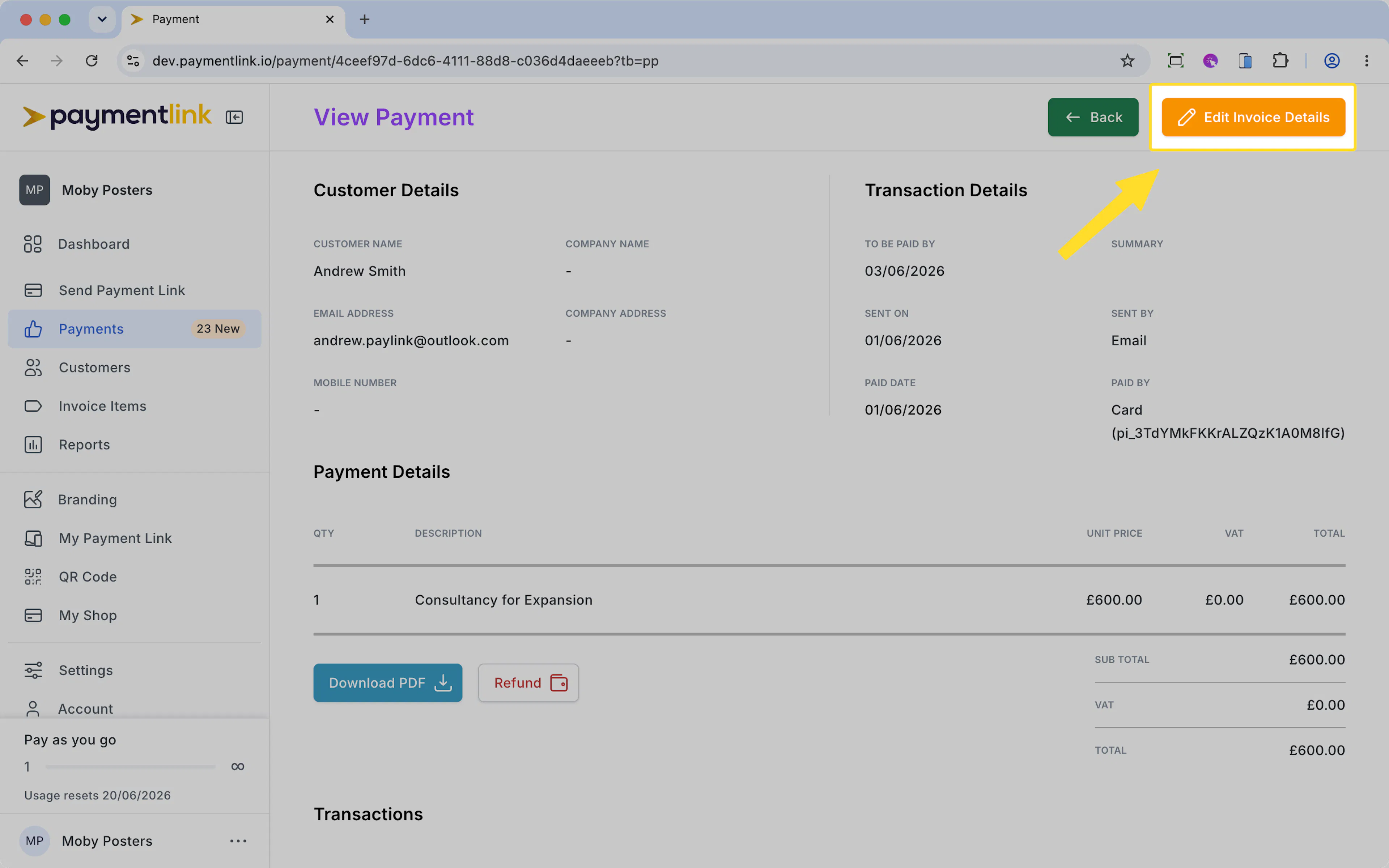
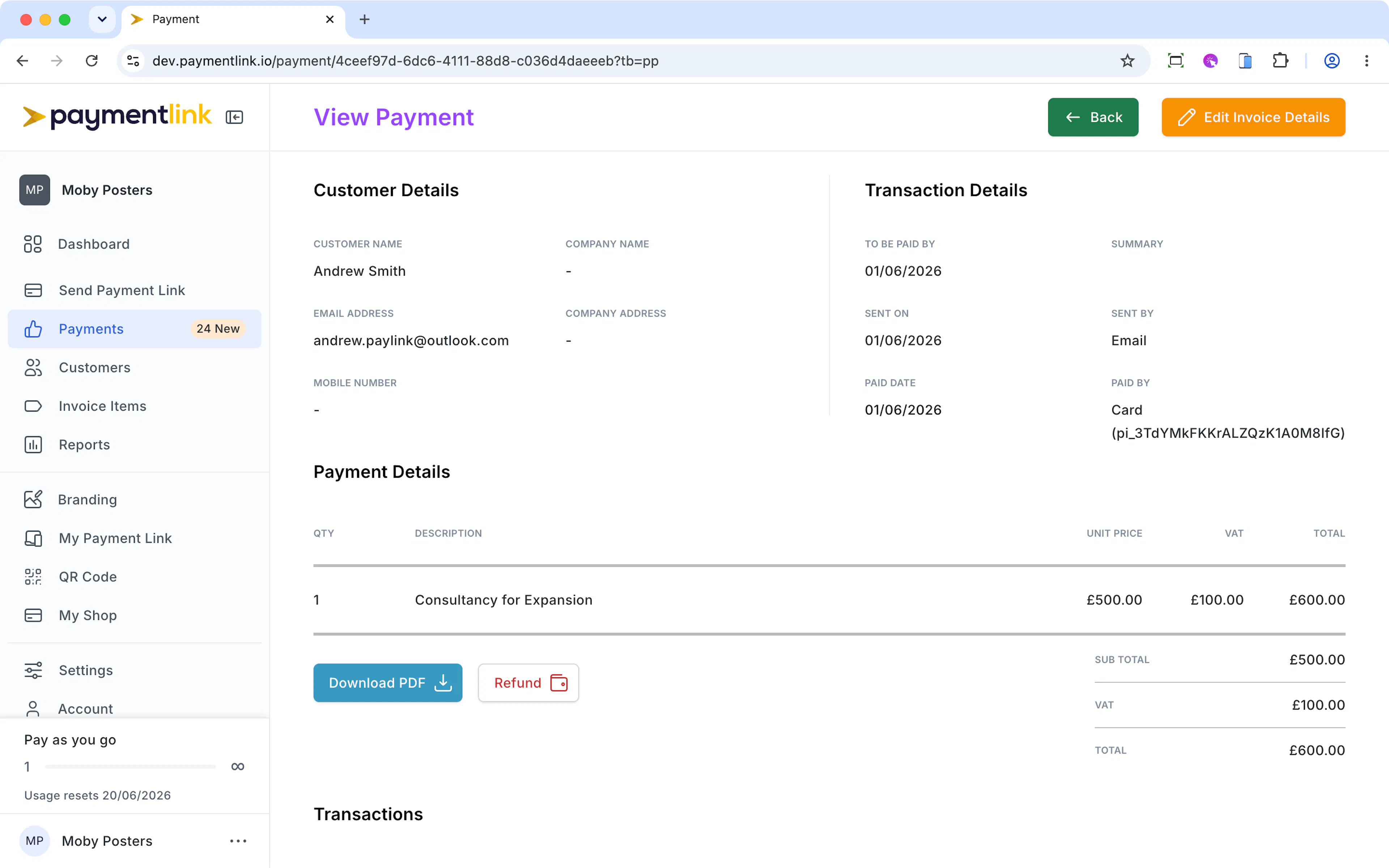
If you need to amend the invoice to adjust the description, unit price and add vat/tax, simply click the "Edit Invoice Details" on the top right.
You'll then be taken to the edit mode where you can change the line items and amounts.
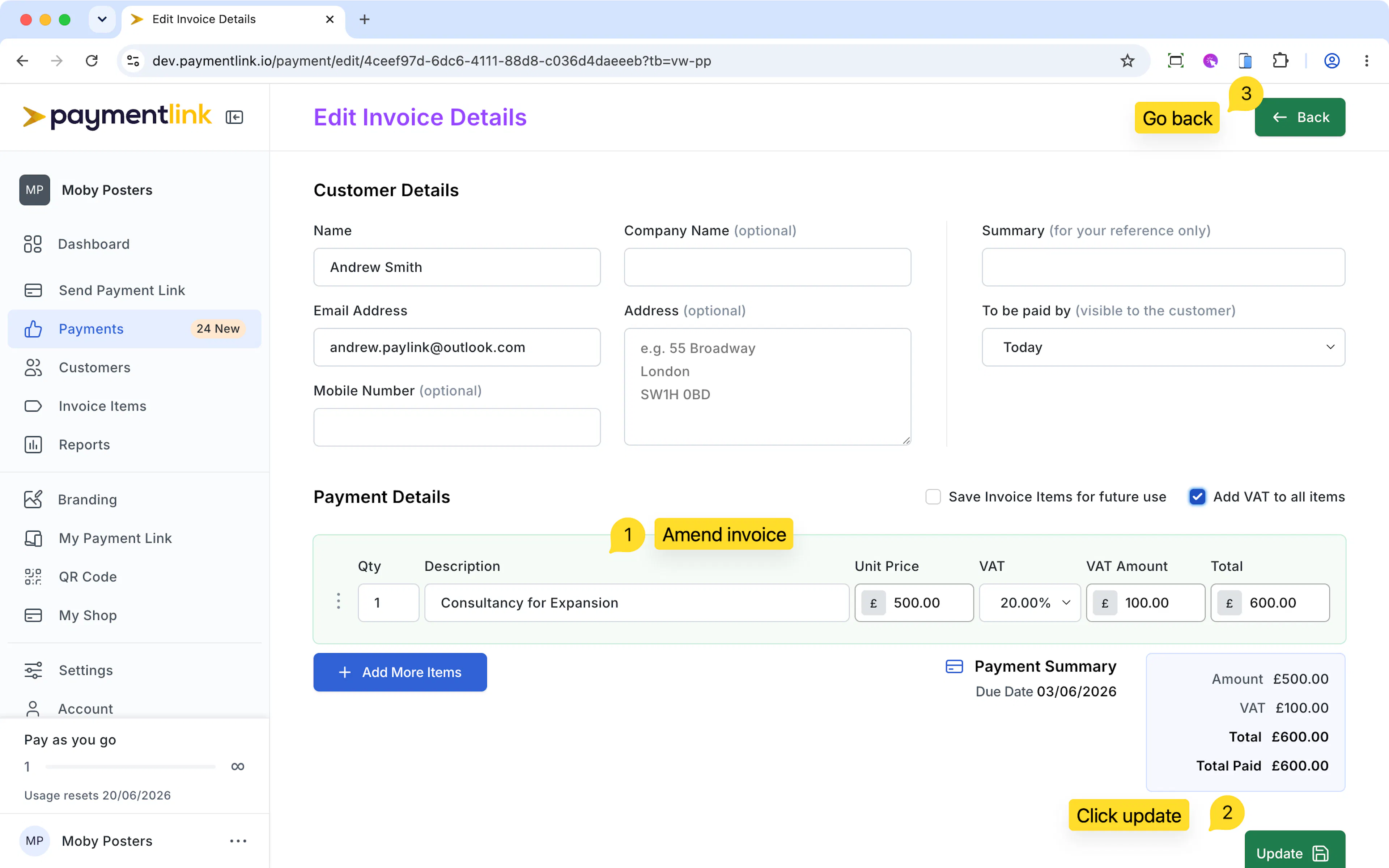
Once you're done click Update, and then return back to the payment and you can download the updated invoice for your records or to send to your customer.
The below shows what the amended invoice would look like by changing the invoice to have VAT.
Last updated today
Built with Documentation.AI